
17TRACK Package Tracker
98-910-7837Shopping
4.013.16K Reviews
- Version
- 3.1.6986
- Installs
- 10.00M
- Age Rating
- Everyone
Screenshots
Our Review of 17TRACK Package Tracker
 Analysis by Appyee
When a delivery crosses borders or changes hands between carriers, the tracking trail can become a jumble of separate pages and vague status messages. I find a parcel tracker most useful when it turns that scattered information into one manageable list, and that is the problem 17TRACK Package Tracker is built to address. It is a free shopping app from developer 98-910-7837, with a 4.0 average from around 485,000 ratings and over 10 million installs. Its Everyone age rating makes it suitable for a broad audience, though the practical value is greatest for people who regularly order from several shops or countries.
One inbox for deliveries from different shops
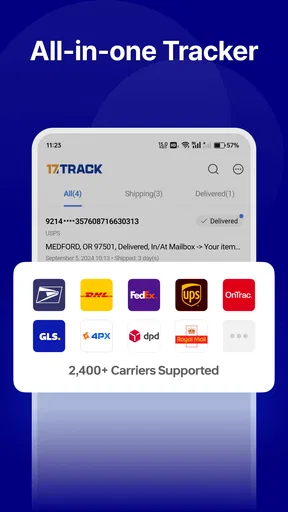
The main appeal is not that a tracker replaces the retailer or carrier, but that it gives you one place to check shipments from services such as Amazon, AliExpress and eBay. Instead of reopening several order pages, you can bring tracking numbers together and scan for the parcels that need attention. That is a useful change to a familiar online-shopping routine: the store remains where you handle the purchase, while the tracker becomes the place to follow the journey afterward.
That distinction matters. A third-party tracking app is most helpful when you have multiple packages in motion, especially if they do not all travel through the same delivery network. If you usually buy from one retailer and its own order page already tells you everything you need, adding another app may not save much time. I would treat 17TRACK as a shared dashboard, not as a replacement for the seller’s order record or the carrier’s final delivery instructions.
Getting Started with 17TRACK
First off, downloading the app is a breeze. It's available on both Android and iOS, so no matter what device you're using, you're covered. Once I had it installed, the setup was pretty straightforward. You don't need to create an account to start tracking, which is great if you're like me and prefer skipping the whole registration process.
Adding a tracking number is as simple as it gets. You just paste it into the app, and boom, you're tracking your package. The interface is clean and intuitive, which means you won't be fumbling around trying to figure out what to do next. I found that the app supports a staggering number of carriers, so whether your package is coming from halfway across the globe or just a few states away, 17TRACK has got your back.
Tracking Features Galore
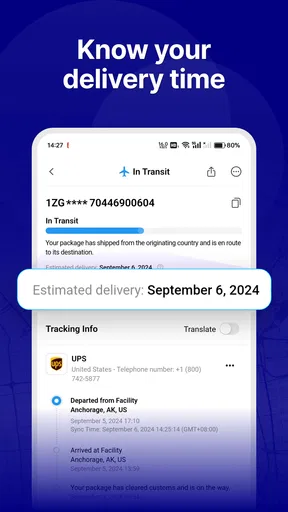
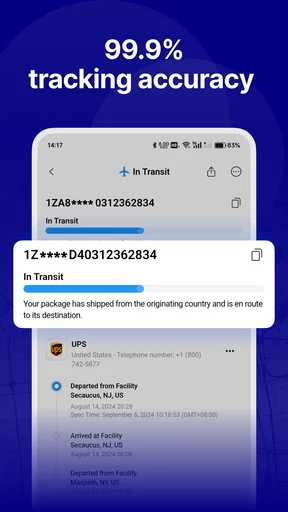
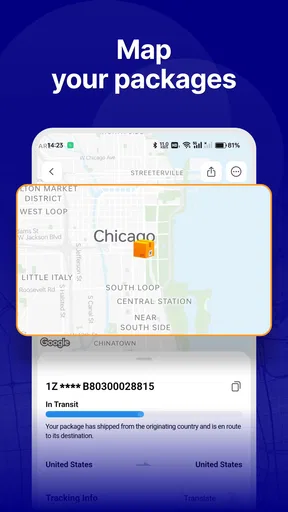
One of the standout features of 17TRACK Package Tracker is its ability to track multiple packages simultaneously. I had a couple of shipments coming in from different countries and keeping tabs on them was a piece of cake. The app provides detailed tracking information, including the current status and location of your package, estimated delivery date, and even a visual map of its journey.
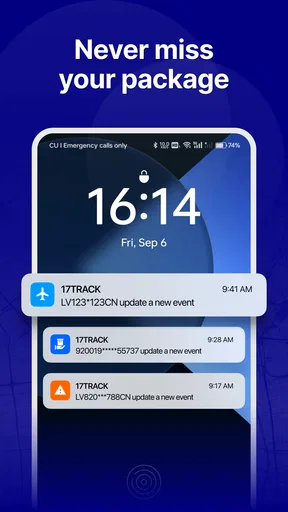
What I particularly appreciate is the notification feature. You can set it up to alert you when there's a status update on your package. No more refreshing the app every few hours—17TRACK does the heavy lifting for you. This feature is especially useful if you’re expecting something important and need to be on top of every move.
International Shipping Made Easy
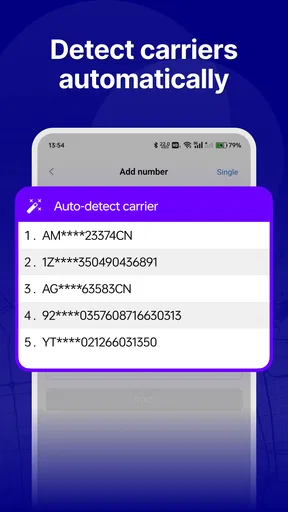
If you're dealing with international shipping, 17TRACK is a lifesaver. The app automatically detects the carrier based on the tracking number, so you don’t have to guess which service is handling your package. Plus, it supports translations for multiple languages, which is a big plus if English isn't your first language or if you're dealing with foreign carriers.
Another thing that I found super handy is the ability to scan barcodes directly with your phone’s camera. It saves you the hassle of typing out long tracking numbers, especially when you're in a hurry.
Where it fits in a busy shopping routine
The clearest win for me is managing orders that arrive at different times. Imagine ordering household supplies from one shop, a gift from another, and a small item from an overseas marketplace. Each seller may provide a different tracking page, and the parcel expected first is not necessarily the one with the most recent update. Putting the tracking numbers in one list makes it easier to check the whole picture without keeping a browser tab for every order.
A practical habit is to add a shipment as soon as the seller provides its tracking number, then check the status rather than repeatedly opening the app without a reason. Early in a shipment, tracking can be quiet while a parcel is waiting for its first carrier scan. That does not automatically mean it is lost; the seller’s dispatch confirmation and the carrier’s first physical scan are different steps. I use the retailer’s order page to confirm that an order was actually sent, and 17TRACK to follow the tracking trail once it exists.
Notifications are most useful when they reduce checking, not when every minor status change becomes a distraction. For a time-sensitive parcel, I would enable alerts and still confirm delivery arrangements with the carrier or seller. For routine purchases, a quick check when I am already reviewing my orders is often enough. The app can surface tracking events, but it cannot make a carrier scan a package sooner or guarantee that an estimated arrival stays fixed.
Useful habits for cleaner tracking
When I add a number, I try to keep the source of the order clear in my own routine: for example, I copy it from the seller’s dispatch message rather than a payment receipt or an old conversation. That small check helps avoid following the wrong string when several orders are open at once. If automatic carrier detection does not immediately make the shipment clear, checking the original seller page is a better next step than guessing from a status label.
Barcode scanning can save time when a label is physically in front of you, such as when someone gives you a parcel to monitor or you are entering a number from packaging. It is less useful when the tracking code is already in a digital order confirmation, where copying and pasting is usually simpler. For international orders, I also pay attention to the handoff between the overseas service and the local delivery carrier: a pause or a change in wording at that stage can be part of the route, rather than proof that the parcel has stopped moving.
There is a trade-off in using one tracker for many shipments. A consolidated list is easier to scan, but it is still another place to maintain if you buy only occasionally. I would not enter a tracking number merely because it appears somewhere in a message; first I would make sure it belongs to the right order. And if a parcel is marked delivered but cannot be found, the useful next move is to check the delivery details with the carrier or seller, not to expect a tracker to resolve a doorstep problem.
How it compares with carrier and retailer tracking
Retailer tracking is usually convenient for a single order because it is already attached to the purchase, while a carrier’s own page is the sensible place to look when you need the delivery service’s most direct instructions. 17TRACK’s advantage is aggregation: it is more appealing when a person is juggling parcels from different sellers, especially when international legs make it awkward to keep switching between carrier sites. It is not automatically better in every situation; the most useful option depends on what you need to do next.
If I only wanted to know whether one local delivery was arriving today, I would likely start with the retailer or carrier. If I had several active orders from different marketplaces, I would rather scan them together in a tracker and open the original source only when a status needs follow-up. That division of labor is the realistic benefit: fewer separate checks for routine monitoring, without pretending that a consolidated app replaces the service responsible for the parcel.
What the current version tells existing users
The app has been available since November 11, 2014, and its current version is 3.1.6986. Those facts establish a long-running product and identify the version a new user may encounter; they do not, by themselves, tell me which functions changed in the latest release. I would avoid reading a particular redesign or newly added feature into a version number alone. For an existing user, the practical question is whether the current app continues to fit their tracking routine, rather than assuming that every update changes the experience dramatically.
For someone already using it, the core workflow described here remains straightforward: collect tracking numbers, follow status updates in one place, and turn to the seller or carrier when the issue requires action. If the app is already helping you avoid repeated searches, there may be little reason to change habits just because a newer version is installed. If it is not recognizing a particular shipment or a status seems unclear, checking the original order details is a sensible way to distinguish an app-level display question from a delay in the carrier’s information.
Remaining limitations and who may prefer another option
Tracking depends on events reported by shipping services, so a shared dashboard can only be as informative as the updates it receives. A quiet timeline, a confusing handoff, or an estimated date that shifts can still leave you waiting for clarity. I would not use any tracking app as proof that a package is physically at a location unless the carrier’s own information confirms it. When a delivery is urgent, or a status conflicts with what the seller says, going directly to the responsible retailer or carrier is the better choice.
The app is also less compelling for people who rarely order online, or whose purchases all stay inside one shop’s order history. In those cases, entering tracking numbers and maintaining a separate list can feel like extra work rather than a shortcut. It is a stronger fit for frequent shoppers, people ordering internationally, and anyone who needs to keep several shipments straight without memorizing which website handles each one.
17TRACK is free to install, with in-app purchases listed from $2.00 to $99.99 per item. I would start with the basic tracking workflow and judge it by whether gathering shipments in one place genuinely saves effort; there is no need to assume paid items are necessary for a simple parcel check. The app is rated for Everyone, and its broad reach is reflected in over 10 million installs, but neither popularity nor an average rating can tell you whether its particular workflow suits the way you shop.
My Personal Take
After using 17TRACK Package Tracker for a few weeks, I can confidently say that it’s a must-have app for anyone who frequently shops online. It saves time, reduces stress, and makes the whole tracking process seamless. The app’s performance is reliable, and I haven’t encountered any crashes or bugs, which is always a relief.
In a world where online shopping is becoming the norm, having a robust package tracker like 17TRACK is invaluable. It’s like having your own personal mailroom assistant, keeping you posted on every step of your package's journey.
So, if you're tired of playing the guessing game with your parcels, give 17TRACK a try. It's a simple solution to a common problem, and it just might become your new favorite app.
What I would watch as I keep using it
For me, the useful test over time is not whether every screen looks different after an update, but whether the essentials remain dependable: adding a number without friction, identifying the right carrier, and presenting status changes clearly enough to decide whether I need to act. I would also pay attention to how well an international handoff is explained, because that is where multiple tracking sources can be hardest to interpret. These are expectations for continued use, not claims about changes already made.
My recommendation is therefore specific rather than universal. I would keep 17TRACK close if I had several parcels moving at once and wanted one convenient place to review them. I would skip it if a retailer’s own page already handles my occasional orders cleanly, or if I needed authoritative delivery instructions more than a combined overview. Used with that distinction in mind, it is a practical companion for parcel monitoring, not a substitute for the seller or carrier when a shipment needs personal attention.
Verdict
Strengths of 17TRACK Package Tracker
- Supports tracking from multiple carriers.
- User-friendly interface for quick navigation.
- Real-time updates on package status.
- Option to add multiple tracking numbers.
- Customizable notifications for updates.
Limitations of 17TRACK Package Tracker
- Limited offline functionality.
- Ads can be intrusive at times.
- Some features require a premium upgrade.
- Occasional delays in update notifications.
- Limited language support in certain regions.
Similar Picks in This Category
View All
SHEIN-Shopping Online
Roadget Business PTE. LTD.4.8

Amazon Shopping
Amazon Mobile LLC4.4


Mercado Libre: Compras online
Mercado Libre4.8

Wish: Shop and Save
Wish US Holdings LLC4.7

Alibaba.com - B2B marketplace
Alibaba Mobile4.4
Frequently Asked Questions
What is 17TRACK Package Tracker and how does it work?
17TRACK Package Tracker is a comprehensive package tracking app that allows users to monitor shipments from over 500 carriers worldwide. By entering your tracking number, the app provides real-time updates on your package's location and status, ensuring you are always informed about your delivery's progress.
Is 17TRACK Package Tracker free to use?
Yes, 17TRACK Package Tracker offers a free version that includes basic tracking features. However, the app also provides in-app purchases and premium features that offer enhanced tracking capabilities, ad-free experience, and additional tools for managing multiple shipments efficiently.
How accurate is the tracking information provided by 17TRACK?
The accuracy of the tracking information on 17TRACK depends on the data provided by the various carriers it supports. Generally, the app is known for delivering reliable and up-to-date information, but there might be occasional delays or discrepancies depending on the carrier's data update frequency.
Can I track multiple shipments at once with 17TRACK?
Yes, 17TRACK allows users to track multiple shipments simultaneously. The app supports batch tracking, where you can enter several tracking numbers at once, making it easy to manage and monitor various packages across different carriers in one convenient location.
Is my personal information secure with 17TRACK?
17TRACK takes user privacy and data security seriously. The app does not require personal information beyond what's necessary for tracking purposes. It uses encryption and other security measures to protect your data. However, always ensure you download the app from official sources like Google Play or the App Store to avoid potential security risks.
